Readdy.

Practical workflow

Build confidently with a readdy tutorial github workflow

This readdy tutorial github guide shows how to plan a focused build, turn a clear brief into a first draft, review each change, and keep your project organized as it evolves.

Prerequisites

Prepare the brief and the handoff before you start. These related guides explain the product context, builder workflow, and available templates without interrupting the tutorial.

Numbered steps

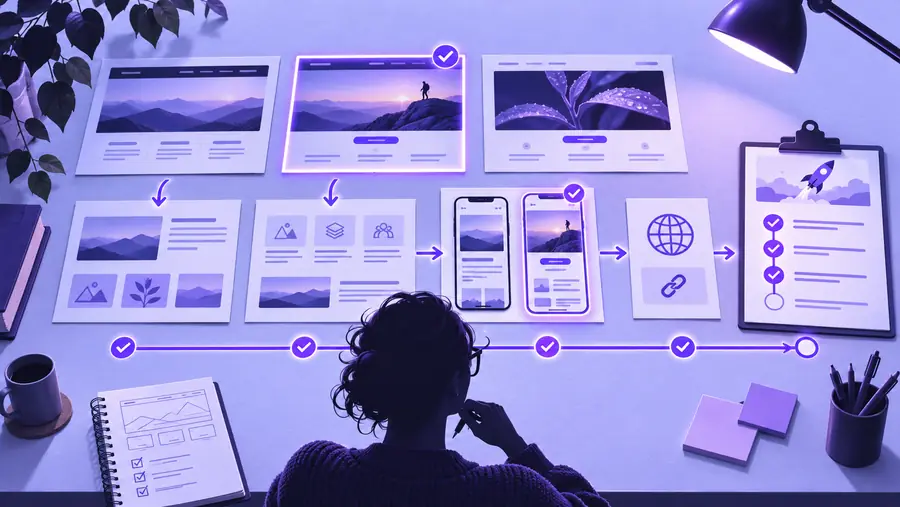
Treat the build as a short loop: define the outcome, inspect the first version, then make deliberate revisions instead of changing everything at once.

  1. 1

    Write a narrow brief

    Describe the audience, primary action, essential sections, tone, and visual direction. Include the pages that matter now, not every possible future feature.

  2. 2

    Generate and inspect

    Use the brief to create a first draft, then check the hierarchy from the visitor’s point of view. Look for a clear headline, useful navigation, readable content, and one obvious next action.

  3. 3

    Revise with evidence

    Change one group of issues at a time. Compare the revised page with the brief, record what improved, and keep the strongest content and structure in your project notes or GitHub repository.

  4. 4

    Run a handoff check

    Before sharing the result, review links, copy, images, responsive behavior, and any assumptions that still need confirmation. A clean checklist is more reliable than memory.

Common errors and fixes

The most common tutorial problems come from vague inputs, uncontrolled revisions, or treating GitHub as a substitute for product review. Use the comparison below to keep each tool in its proper role.

Prompt-first draft
GitHub checkpoint

Best starting point

Prompt-first draft

A concise brief describing the page goal, audience, content, and style.

GitHub checkpoint

A repository or document prepared to store notes, assets, decisions, and revisions.

Main strength

Prompt-first draft

Quickly turns an idea into a visible structure that can be reviewed.

GitHub checkpoint

Keeps project history and supporting material organized outside the visual build.

Common mistake

Prompt-first draft

Asking for a complete product without defining the most important user action.

GitHub checkpoint

Assuming a commit proves that the page is correct or ready to publish.

Useful check

Prompt-first draft

Confirm that the first screen answers who the page is for and what to do next.

GitHub checkpoint

Confirm that filenames, notes, and version labels make the latest state easy to identify.

When to revise

Prompt-first draft

Revise when the hierarchy, tone, or content does not match the brief.

GitHub checkpoint

Update the checkpoint when a meaningful decision, asset, or revision has been made.

What it cannot replace

Prompt-first draft

It cannot replace accessibility, content accuracy, or human review.

GitHub checkpoint

It cannot replace visual QA, interaction testing, or a final product decision.

Advanced tips

Once the basic workflow feels familiar, improve the quality of each iteration rather than simply asking for more output. These limits are intentional parts of a dependable process.

A prompt cannot supply missing strategy

If the audience, offer, or primary action is unclear, the draft may look coherent while solving the wrong problem.

Workaround

Write a one-sentence success condition before generating anything, then judge every section against it.

GitHub is not visual QA

A clean repository can preserve files and decisions, but it does not prove that a layout is readable or that interactions work.

Workaround

Pair each meaningful checkpoint with a browser review and a short checklist covering content, links, and responsive behavior.

A first draft is not final copy

Generated wording may be useful as a starting point but can still be generic, inaccurate, or out of step with the brand voice.

Workaround

Replace unsupported claims, add specific evidence, and read the page aloud before sharing it.

More revisions can reduce clarity

Changing several unrelated areas at once makes it difficult to know which decision helped and can create a page without a strong priority.

Workaround

Group revisions by purpose, such as hierarchy, content, visual direction, or polish, and review after each group.

Tutorial workflow reference for planning and reviewing a website build Plan and check
Website builder reference showing a more developed project direction Build and refine
The useful change is not simply more content; it is a clearer path from brief to reviewed result.

Turn the tutorial into your next build

You now have a repeatable path: define the page, create a focused draft, review it against the brief, and keep meaningful decisions organized. Start with one real project and let each revision teach you what the next prompt or checkpoint should contain.

Start a project
  • Begin with one audience and one primary action
  • Review structure before polishing details
  • Keep decisions and assets easy to trace

Tutorial FAQ

These answers cover the practical questions people usually have when looking for a GitHub-oriented Readdy tutorial.

Prepare a short project brief, the audience you want to reach, the main action visitors should take, and the sections the page needs. If GitHub is part of your process, also decide what it will store, such as notes, assets, decisions, or revision checkpoints.

No. GitHub is useful for organizing files, notes, and project history, while the builder is where you shape and review the website experience. Use them together rather than treating a repository as proof that the page is visually or functionally complete.

Start with the page goal, audience, content hierarchy, tone, and visual direction. Keep the first request narrow enough to review, then make focused revisions for structure, copy, and polish instead of asking for every possible feature at once.

Review the headline, navigation, links, images, content accuracy, responsive layout, and primary action. Compare the result with the original brief, confirm that the latest project state is documented, and remove claims or details you cannot support.

Start creating
Start creating